DEVELOPER · REMOTE MCP PLUGIN

Structura JSON Diff
Compare two JSON documents. See changed paths, values, and types.
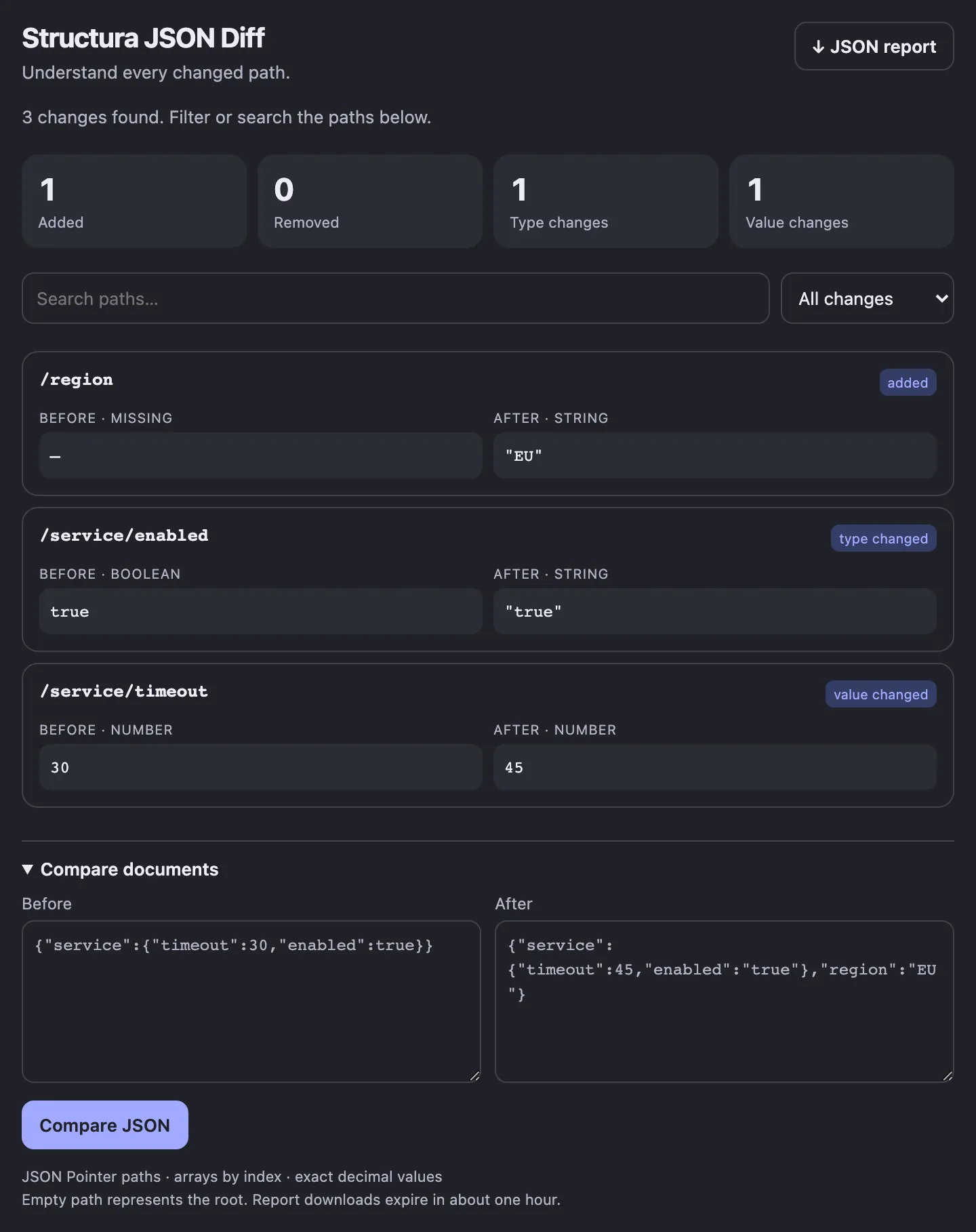
You askCompare JSON before {"service":{"timeout":30,"enabled":true}} and after {"service":{"timeout":45,"enabled":"true"},"region":"EU"}.
RELEASE CHECK · 16 NOV 2026
A reviewed release is recorded.
The fleet records a reviewed source release after the 11 Oct 2026 review. That source check does not certify every input or every account.
The shared widget fix is recorded in this release. It prevents a repeated host result from resetting work already entered in the widget.
See the fleet snapshot and its limits ↗LIVE IN A PUBLIC DIRECTORY
ChatGPT: open the listing and select Install plugin. Your plan and workspace can limit access.
Custom connections require support in your AI app, plan, and workspace. Follow the host guide before you use the prompt.
A TASK TO TRY
Give the plugin a clear task.
Compare JSON before {"service":{"timeout":30,"enabled":true}} and after {"service":{"timeout":45,"enabled":"true"},"region":"EU"}.
A REAL OUTPUT FROM MADE-UP DATA
Review a JSON change
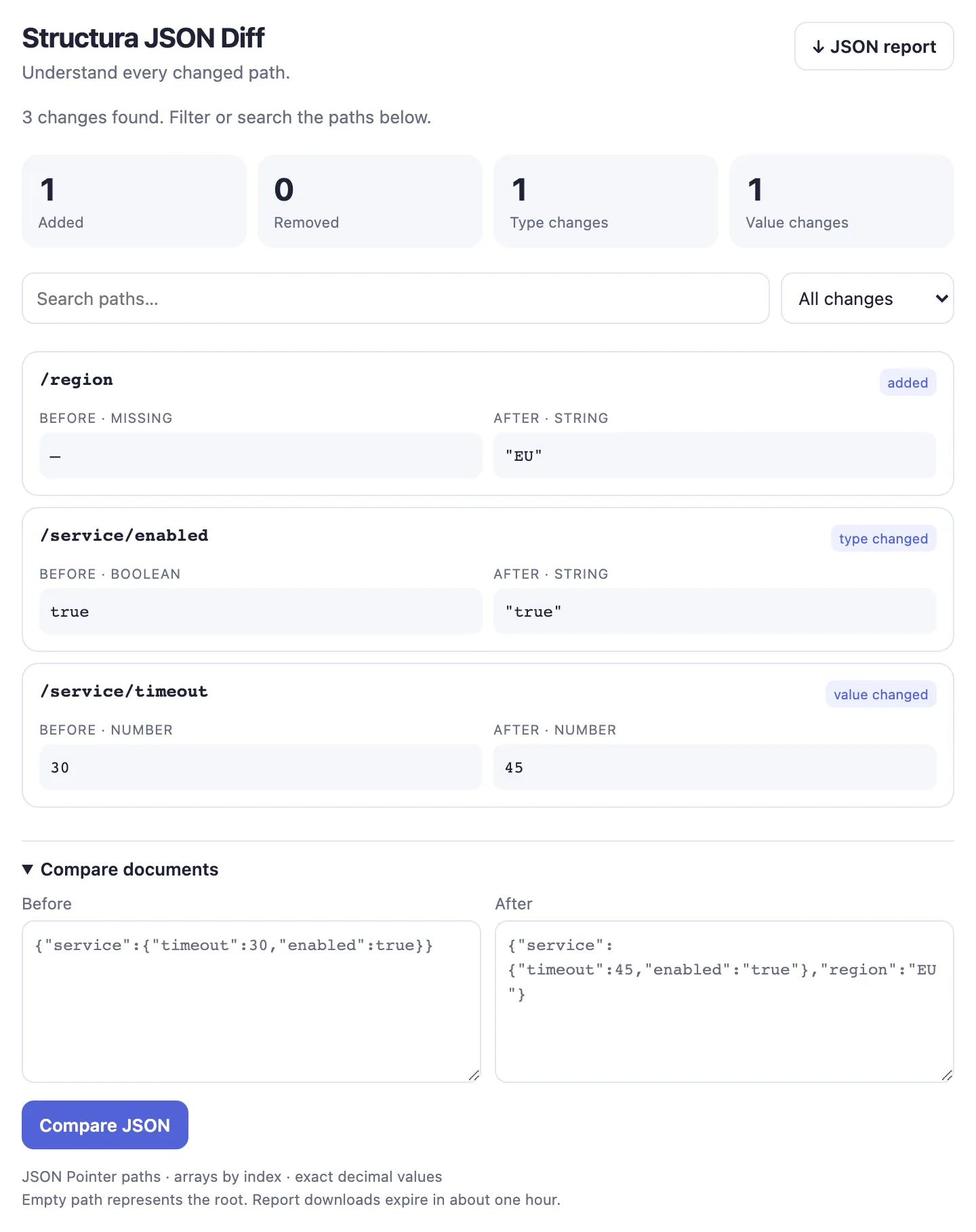
One value changed. One type changed. One field was added.
| JSON path | Before | After | Change |
|---|---|---|---|
| /service/timeout | 30 | 45 | Value |
| /service/enabled | true | "true" | Type |
| /region | — | "EU" | Added |
Live MCP sample checked on 11 October 2026. Synthetic input. This sample does not certify every input or an installation in each AI app.
WHAT THE SERVER EXPOSES
1 function to request.
Names and descriptions below come from live MCP discovery. They describe the server; they are not a test of every function in ChatGPT or Claude.
Compare JSON documents
compare_jsonUse this when you want to compare two JSON documents, find changed JSON paths, or distinguish type changes from value changes. Ignores object key order, preserves array order, and compares decimal numbers without float rounding. Limits: 20,000 characters per document, depth 64, 4,000 values, 500 differences. Does not compare source code, YAML, JSON5, or duplicate-key documents.
Connect. Ask. Check.
- Use the setup guide for ChatGPT or Claude. Copy this plugin's endpoint.
- Connect the tool. Paste the sample prompt and supply the inputs it needs.
- Review the result before you rely on it. Check the source tool's limits and privacy terms.
ADAPT THIS TASK TO YOUR WORK
Need a different input or output?
Start a brief from Structura JSON Diff. Describe your inputs, the result you need, and the checks that define a useful result. Download it before you share it.
The brief runs in your browser. Custom projects need a separate scope and price agreement.
EXPLORE THE SAME TASK CATEGORY
More developer tools.
These tools have reviewed releases in the dated fleet snapshot. Check each plugin's limits and setup before use.
Explain a cron schedule and list its next runs in a time zone.
Check live DNS records and email authentication (SPF, DMARC, DKIM, MX) for a domain.
Look up who owns a domain and when it expires, from public RDAP registry data.


COLLECTIONS