OFFICE FILES · REMOTE MCP PLUGIN

Zovo Spreadsheet Compare
Find added, removed, and changed rows across two spreadsheets. Download the change list.
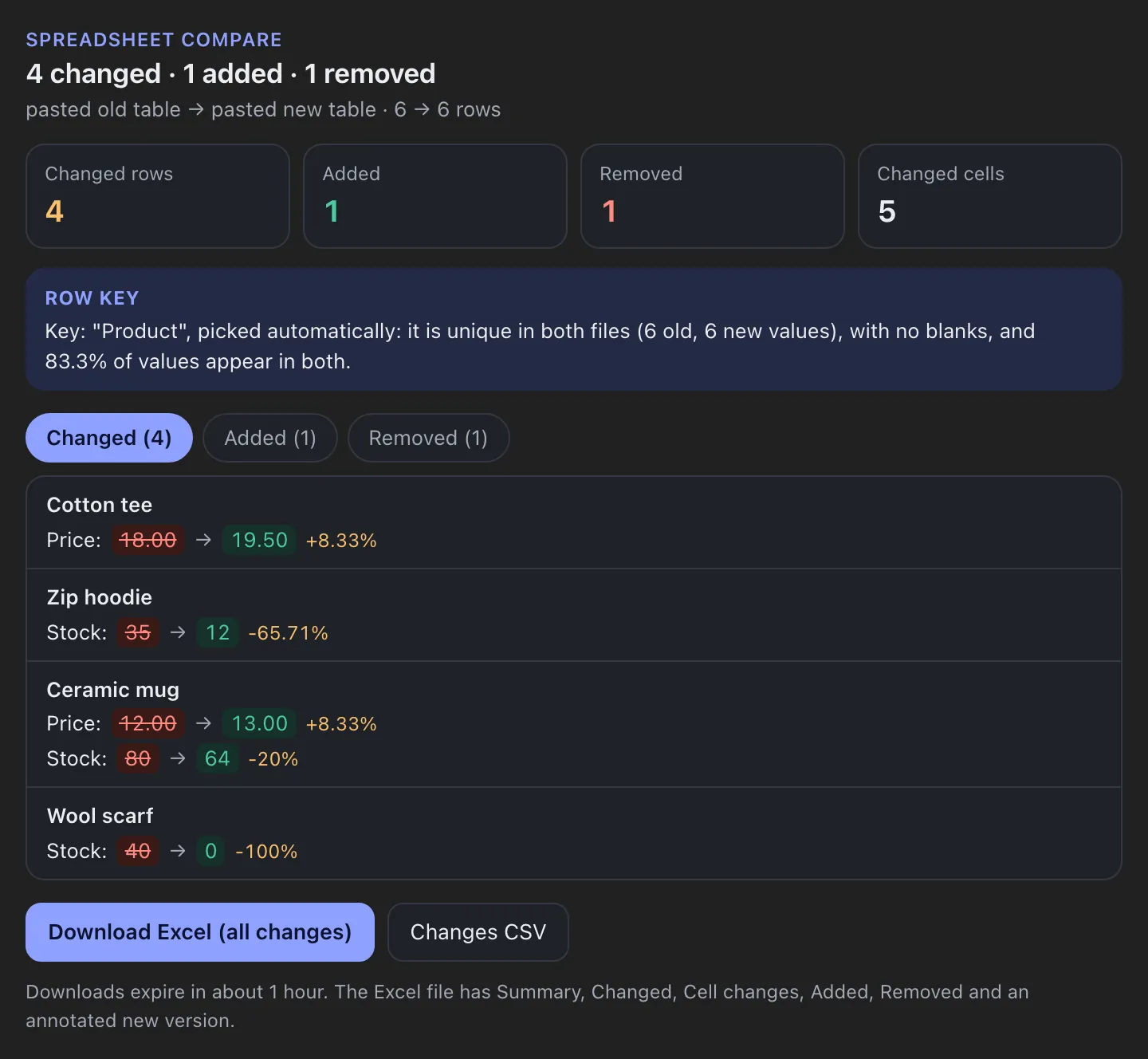
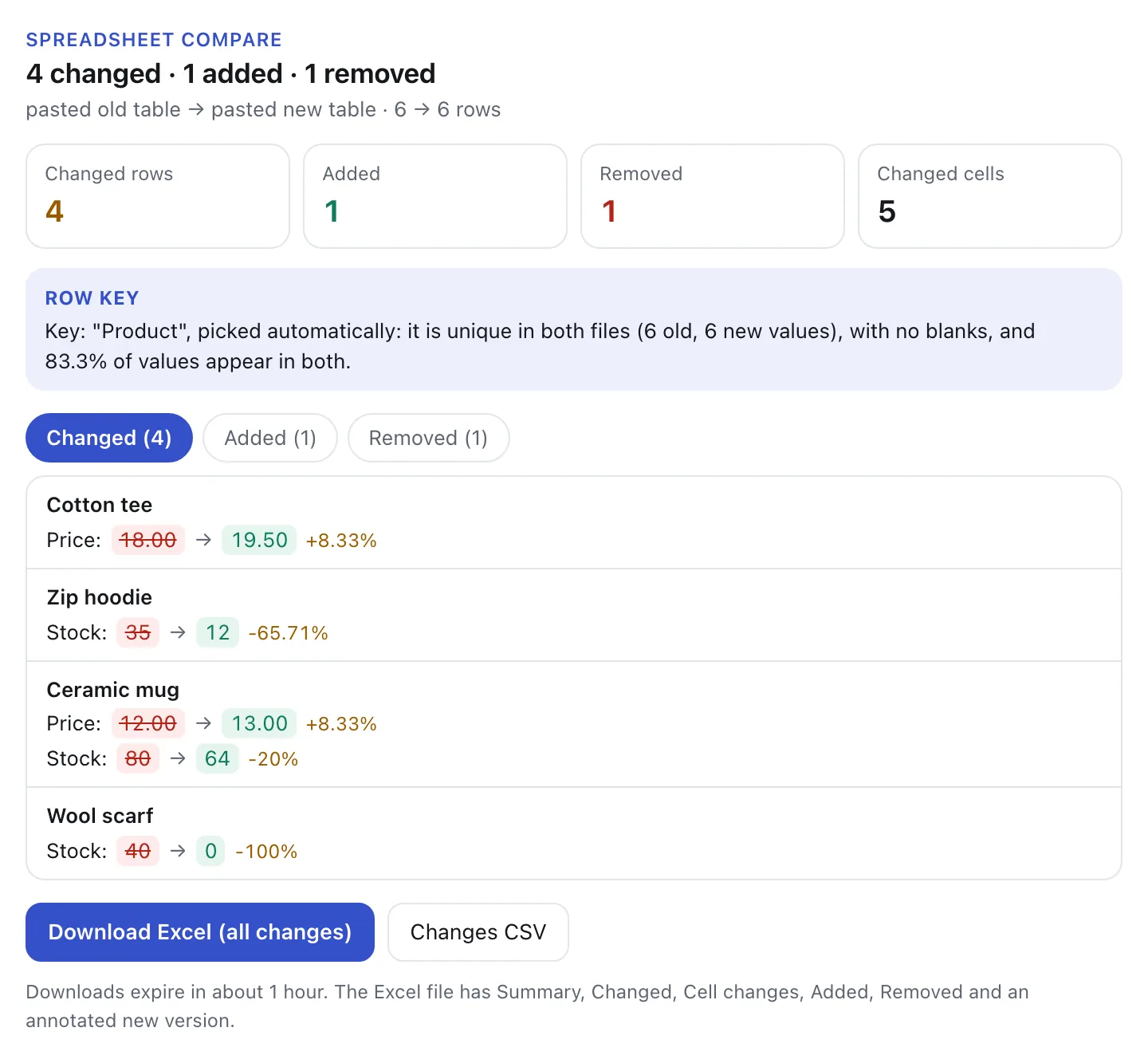
You askCompare our September and October product catalogs and list what changed: prices, stock, new products, and discontinued products.
RELEASE CHECK · 16 NOV 2026
Corrections are still pending.
The current source has not passed the release review recorded here. Inspect its limits and test a synthetic example before relying on it.
For exact-key CSV comparison, the separate browser CSV comparer runs locally and has its own input rules.
See the fleet snapshot and its limits ↗LIVE IN A PUBLIC DIRECTORY
ChatGPT: open the listing and select Install plugin. Your plan and workspace can limit access.
Custom connections require support in your AI app, plan, and workspace. Follow the host guide before you use the prompt.
A TASK TO TRY
Give the plugin a clear task.
Compare our September and October product catalogs and list what changed: prices, stock, new products, and discontinued products.
A REAL OUTPUT FROM MADE-UP DATA
Compare a price list
One price changed. One product was added. One product was removed.
| Status | SKU | Old price | New price |
|---|---|---|---|
| Changed | A1 | 10 | 11 |
| Unchanged | B2 | 5 | 5 |
| Removed | C3 | 7 | — |
| Added | D4 | — | 9 |
Live MCP sample checked on 11 October 2026. Synthetic input. This sample does not certify every input or an installation in each AI app.
WHAT THE SERVER EXPOSES
2 functions to request.
Names and descriptions below come from live MCP discovery. They describe the server; they are not a test of every function in ChatGPT or Claude.
Compare spreadsheets
compare_spreadsheetsUse this when the user has two versions of the same spreadsheet (CSV or Excel: price list, inventory, roster, budget, product catalog, CRM export) and wants to "compare two excel files", "compare two spreadsheets", "find the differences between two csv files", "what changed between these files" or "list what changed". Matches rows by a key column it detects (or key_columns), lists all added, removed and changed rows with each changed cell old -> new, numeric change and percent, plus renamed/moved columns and key changes, and returns an Excel workbook (Summary, Changed, Cell changes, Added, Removed, annotated new version) and a changes CSV. Does not merge or join two different tables (e.g. customers + orders), does not compare Word or PDF documents, and does not edit either file.
Summarize changes
summarize_changesUse this when the user has two versions of a spreadsheet and wants a summary rather than a full list: "how many prices went up", "which columns changed the most", "biggest changes between these two files", "average price increase". Returns counts (changed, added, removed rows), per-column statistics (cells changed, increases, decreases, total and average percent change, largest increase and decrease) and the biggest single changes, with the same Excel and CSV downloads. Use compare_spreadsheets for the row-by-row list. Does not forecast or explain why values changed.
Connect. Ask. Check.
- Use the setup guide for ChatGPT or Claude. Copy this plugin's endpoint.
- Connect the tool. Paste the sample prompt and supply the inputs it needs.
- Review the result before you rely on it. Check the source tool's limits and privacy terms.
Prefer the browser?
You can also use the source tool website.
ADAPT THIS TASK TO YOUR WORK
Need a different input or output?
Start a brief from Zovo Spreadsheet Compare. Describe your inputs, the result you need, and the checks that define a useful result. Download it before you share it.
The brief runs in your browser. Custom projects need a separate scope and price agreement.
EXPLORE THE SAME TASK CATEGORY
More office files tools.
These tools have reviewed releases in the dated fleet snapshot. Check each plugin's limits and setup before use.
Create an invoice, quote, receipt, or credit note as a PDF.
Track rent charges and payments. Export a tenant ledger.
Fill a document template from a table and export the merged documents.


COLLECTIONS